발행: 2026-06-16수정: 2026-06-16
ghostty로 nvim application 만들기
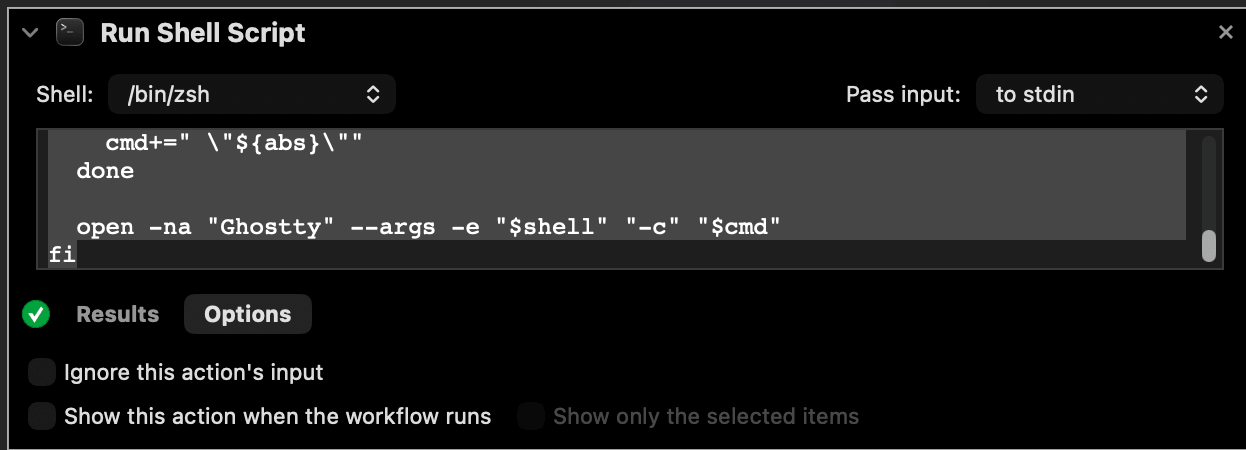
Pass Input은 꼭 to stdin으로 설정하기
#!/bin/bash

# Create a new Automator script (Application Type)
# Run Shell Script step
# Set "Pass input" to "as arguments"
# Paste this into the script
# You can now open nvim directory, or specific files with it

nvim_bin="/opt/homebrew/bin/nvim"
shell=${SHELL:-/bin/zsh}

if [ $# -eq 0 ]; then
  # No file → open plain Neovim
  open -na "Ghostty" --args -e "$shell" "-c" "exec \"$nvim_bin\""
else
  # Build explicit command string like the hardcoded one
  cmd="exec \"$nvim_bin\""
  for f in "$@"; do
    abs=$(realpath "$f")
    cmd+=" \"${abs}\""
  done

  open -na "Ghostty" --args -e "$shell" "-c" "$cmd"
fi